How it works
What it actually does, in order.
How Odoo automatic time tracking works with Zeetavix: a quiet desktop tracker records real work, your own Odoo turns raw events into work episodes with activity and focus scoring, and those episodes become timesheet lines, attendance records and project budgets — nothing leaves your server. Not a feature list — the mechanism: what is collected on the machine, what happens to it on your server, and where every number in the reports comes from. Including the parts that make it inconvenient for us to explain.
In a hurry? The guide shows every screen with the screen in front of you. This page is the mechanism underneath them.
1. What the agent collects
Five signals, sampled rather than streamed, and each one is narrow on purpose.
Read the detail 217 words
The active window — the application name and the window title, sampled every ten seconds. This is the richest signal and by far the most dangerous, which is why it is the one thing that gets scrubbed before it is stored (see below).
Input activity — whether the keyboard or mouse were used in each short sampling window. Not what was typed. There is no keylogger here and no code path that could become one: the agent asks the operating system how long the session has been idle and records a yes or a no.
Idle time, screenshots at an interval you set, and system information — OS, version, hostname, memory — so a machine can be told apart from another.
That is the complete list. No browser history, no email content, no file contents, no clipboard, no microphone, no camera, no network traffic. The desktop agent is fifteen crates of Rust and none of them can read any of those things.
Window titles are scrubbed before they are stored, not just before they are sent. URLs with query strings lose the query; long tokens are replaced; the redacted form is what lands on the episode. So a leak cannot happen later through some other code path either — there is no unredacted copy to leak.
See it in the product: the desktop tracker.
2. Raw events become episodes
A day is roughly nine thousand samples. Nobody can read that, and neither can a language model.
Read the detail 122 words
Events are rolled up into episodes: continuous stretches of one kind of work. A new episode starts when there is a gap of more than twelve minutes with nothing happening, or when the work itself changes character.
An episode carries its duration, the applications inside it and their share of the time, how many times attention switched, and whether it looks like a meeting or AI-assisted work. It is the smallest unit a person can actually read — “ninety-four minutes, mostly the code editor, four switches” — and the only unit worth handing to a model.
Episodes shorter than three minutes are never summarised. There is nothing in ninety seconds of work for a model to say that is not invention.
See it in the product: the activity trail.
3. The same app means different things
LinkedIn all afternoon is the job in marketing and a question worth asking in engineering.
Read the detail 110 words
Every application is classified against three things at once: the app itself, the role of the person using it, and the project it was used on. The most specific rule wins — a project-level rule beats a role-level one, which beats the company default.
Every classification carries the rule that produced it. When somebody disagrees with a number, the answer is not “the system decided”; it is a named rule they can look at and change.
This is the part most trackers skip, and it is why their reports get ignored. A single app list applied to a whole company tells the design team they were unproductive on Figma.
See it in the product: teaching it your work.
4. Activity, measured honestly
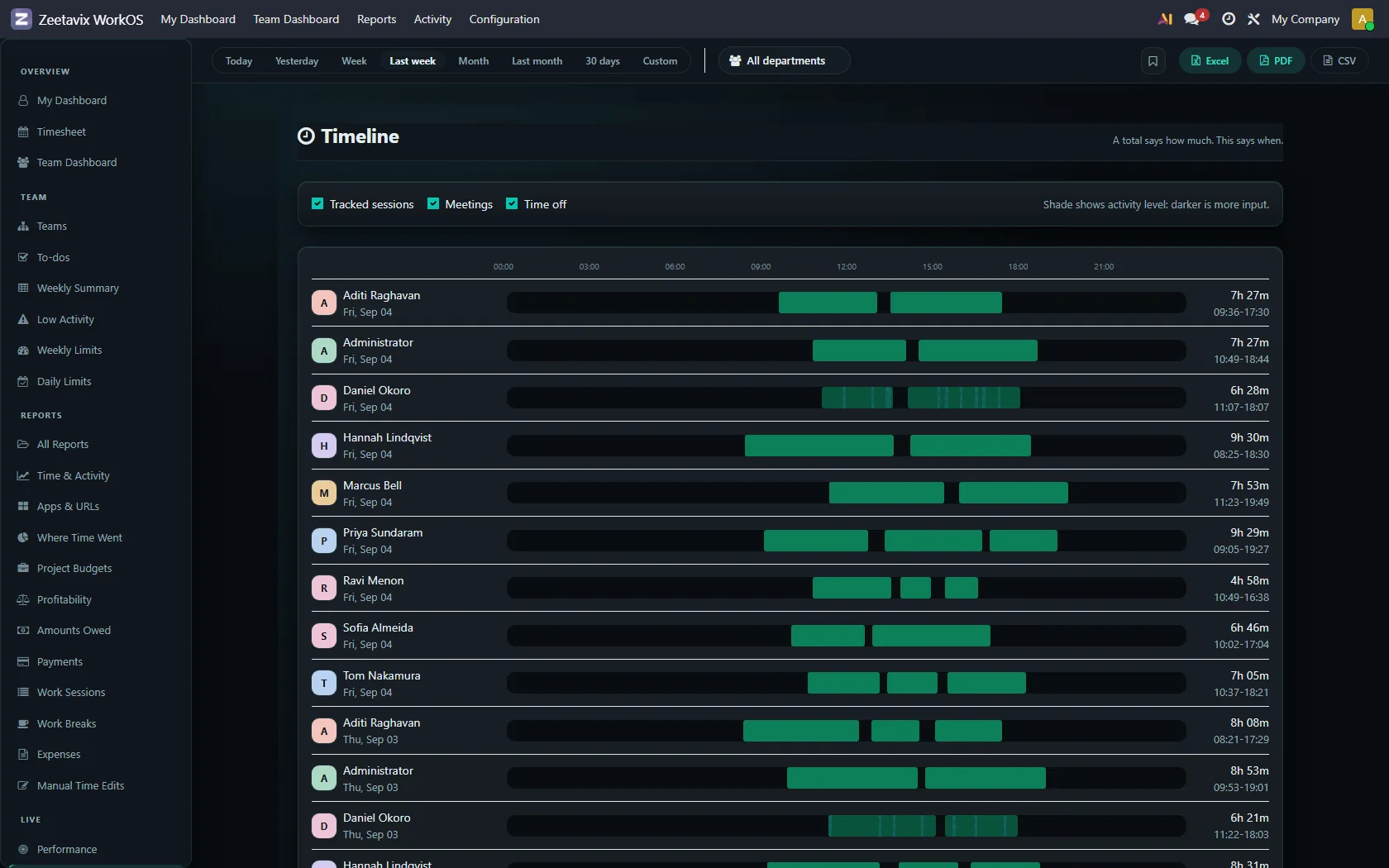
Three states, not a percentage: active, passive, away.
Read the detail 139 words
Passive is the one that matters. Reading a specification, watching a colleague share their screen, thinking about a problem — every other tracker collapses that into idle, and every manager then reads idle as gone. It is reported separately here, because reading is not absence.
Away means three minutes with no input at all. That is a real absence and it is reported as one.
Mouse movement earns nothing. Cursor travel used to carry weight in the score, which meant a five-pound jiggler from a marketplace could manufacture activity all afternoon. It now contributes zero, and sustained travel with no keystrokes and no bursts is flagged as probably synthetic.
A metric that can be gamed by a device you can buy for the price of lunch is not a metric. It is a tax on the honest.
See it in the product: the Timeline report.
5. Meetings and AI-assisted work
The two ways a productive hour looks like an empty one.
Read the detail 113 words
A two-hour call produces almost no keystrokes. So does an hour of prompt, wait, read, accept — which is how a great deal of senior engineering now happens. Scored naively, both look like somebody who went out.
Conferencing tools and AI assistants are detected and the episode is flagged as a low-input context. That flag changes how a number is read, never the number itself. Meeting time is reported in its own column, excluded from deep work and from fragmentation, because it is neither.
The list of tools is data, not code. It will date faster than anything else in the product, so you can edit it without waiting for us.
See it in the product: the activity trail.
6. Focus, judged against your own role
Four uninterrupted ninety-minute blocks and eight hours cut into forty fragments are the same number on a timesheet.
Read the detail 179 words
The focus report describes the shape of a day: how many uninterrupted blocks, the longest one, the switch rate, the meeting load. It deliberately produces no score. A single number invites ranking people by it, which is meaningless across different kinds of work and the fastest way to make a workforce hostile to the tool.
What counts as an uninterrupted block is learned from that role’s own history — the 60th percentile of its people’s real stretches over sixty days, recalculated weekly. We did not invent per-role constants, because that would only replace one arbitrary number with several.
It refuses to guess. Under forty real episodes a role keeps the platform default and says so, in the report, with the sample size next to it. A learned threshold can never sink below that default either — otherwise a fragmented role would quietly lower its own bar until every scrap of work counted as deep focus.
The report says which yardstick it used and whether it was learned. A threshold nobody can trace is a threshold nobody should trust.
See it in the product: your own day.
7. What lands in your Odoo
Not a parallel system. Odoo’s own records, filled in.
Read the detail 115 words
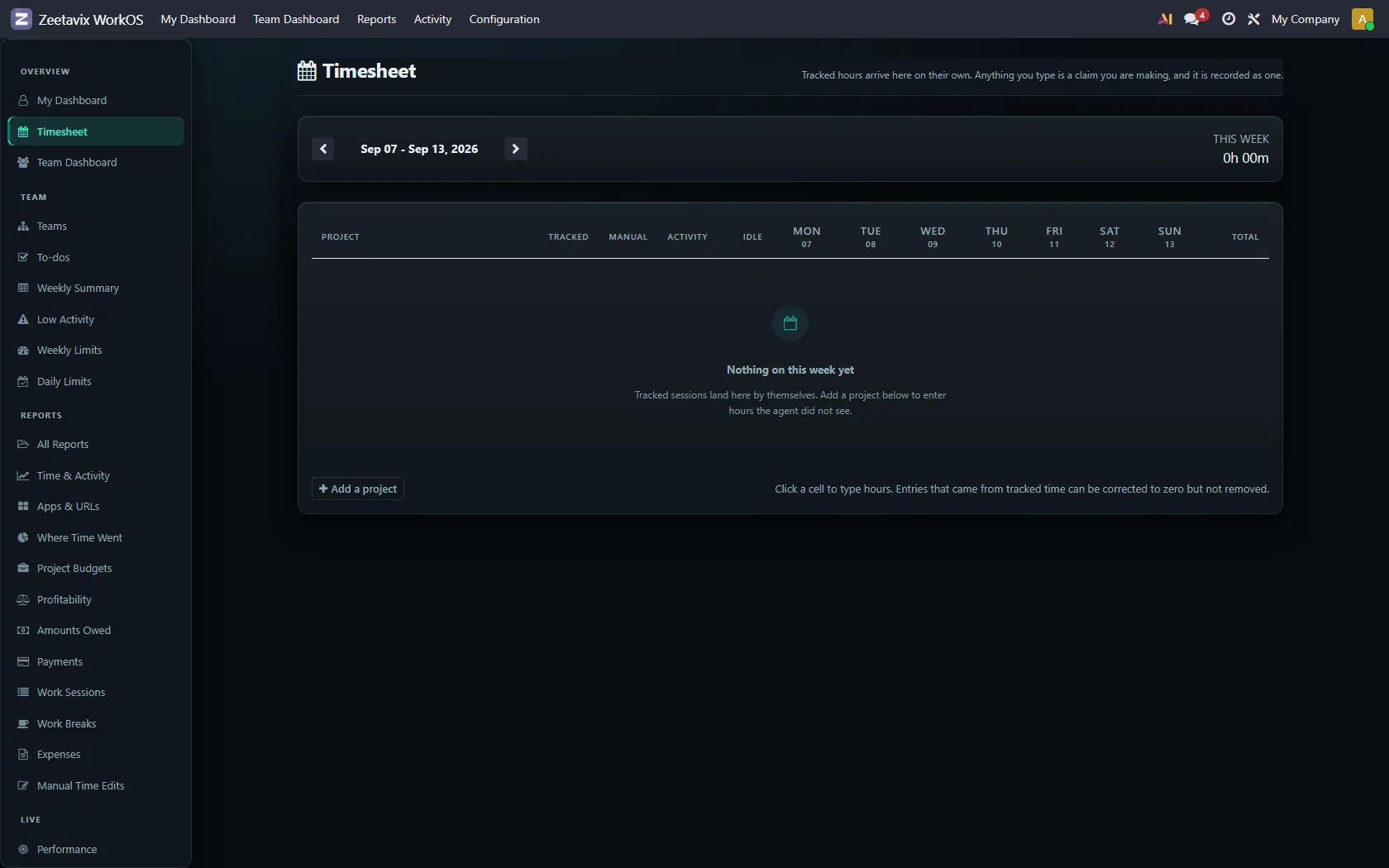
Timesheets — real analytic lines on the right project and task, written as the work happens, then given a description by AI on a background queue.
Attendance — clock-in and clock-out derived from when work actually started and stopped, feeding Odoo’s own attendance records.
Projects and budgets — hours landing against time and cost budgets in real money, so a project going over is visible in week two rather than at invoicing.
Insights, focus reports, the leaderboard and daily achievements — all built from the same episodes, all inside Odoo, all yours.
Everything runs on named background queues with their own retries. A slow AI model makes a summary late; it never makes Odoo hang.
See it in the product: project budgets.
8. Evidence, for the month you need it
Most months nobody opens it. The month a client disputes an invoice, it is the only thing that matters.
Read the detail 110 words
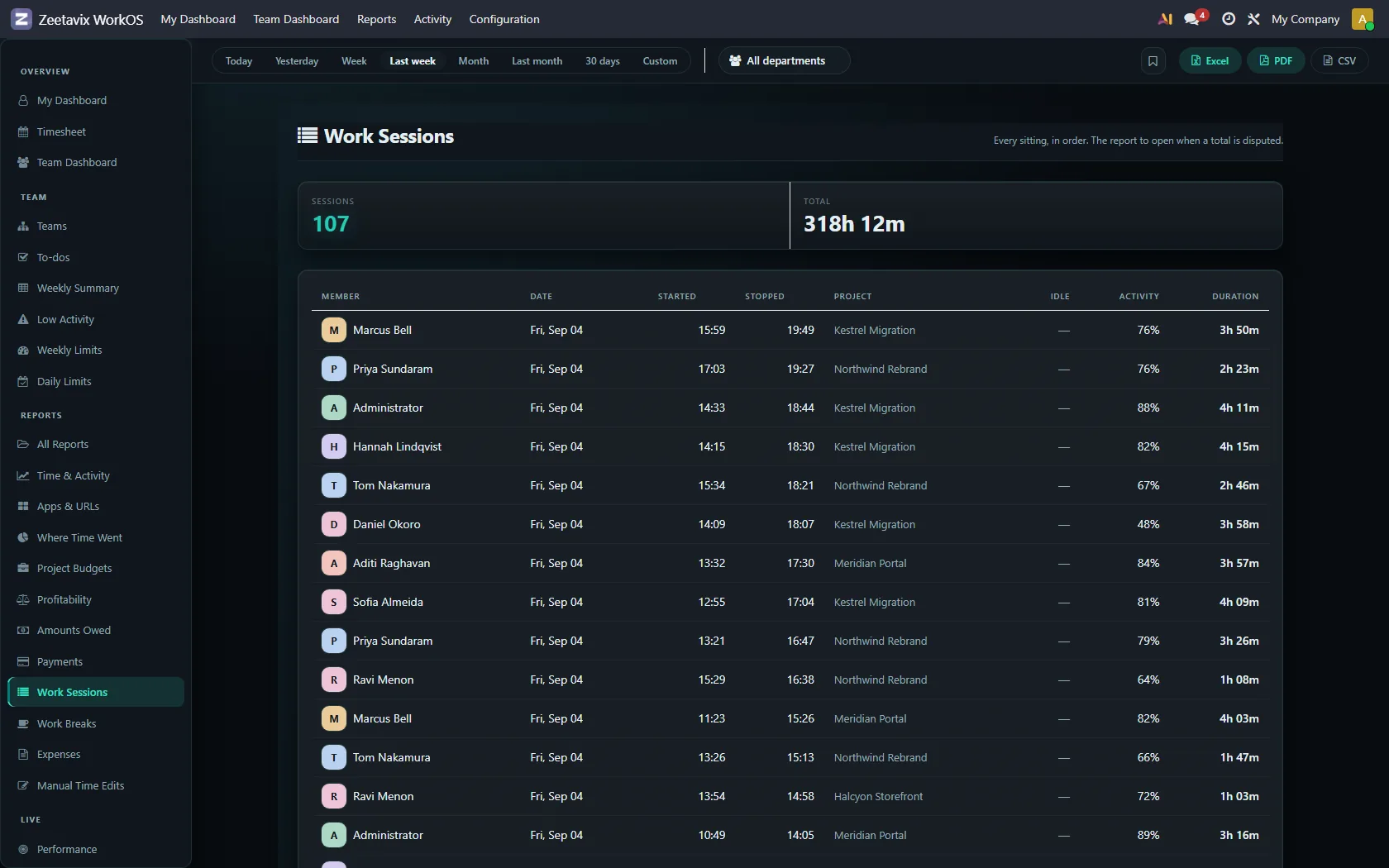
Every timesheet line and attendance record can produce the work behind it: the episodes, the activity, the screenshots from that window of time.
Screenshots are captured at full detail by default — readable, because an unreadable screenshot is storage and intrusion spent for nothing. A blurred mode is available where the application and layout stay recognisable but no text survives. There is deliberately nothing in between: a blur weak enough to leave text readable protects nobody while looking as though it does.
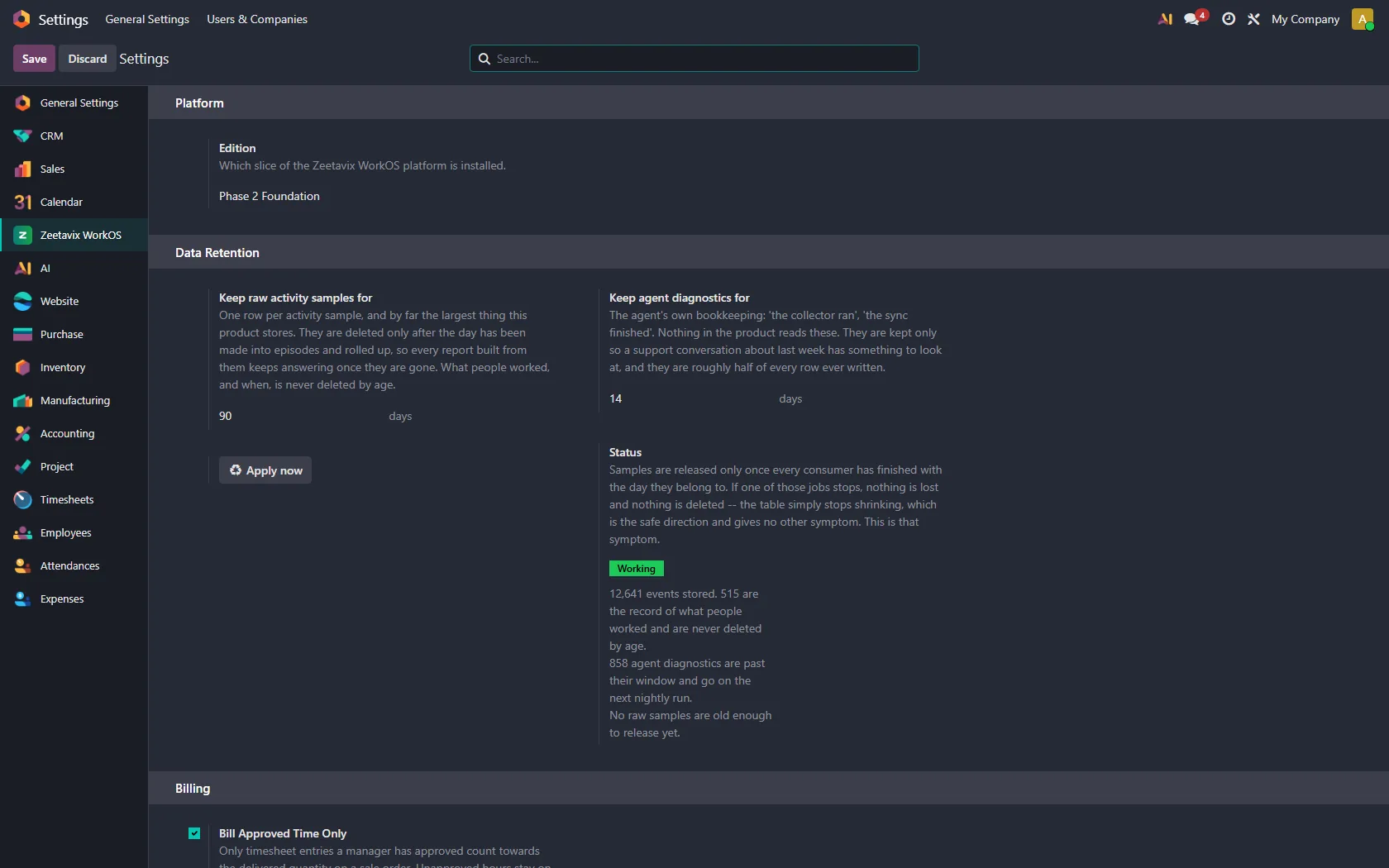
Images are deleted on a retention schedule you set — ninety days by default. The events stay, so history and evidence trails stay intact. Only the pictures go.
See it in the product: the Work Sessions report.
9. AI, on your terms
Your server calls the model. We are not in the path.
Read the detail 78 words
Run Ollama on your own hardware and nothing leaves the building. Or use your own key for OpenAI, Claude, Gemini or OpenRouter — your Odoo calls them directly. We never see the key, the prompts or the answers, and we add no markup to the tokens.
Whatever you choose, window titles are redacted before they reach a prompt. A model reading Re: [REDACTED] — Outlook still learns the person was in email, which is all the summariser needs.
See it in the product: where the AI runs.
10. What never leaves
This is architecture, not policy.
Read the detail 169 words
The whole product runs on hardware you control: the module on your Odoo server, the agents on your machines. Screenshots are written to your own disk by your own Odoo. There is no bucket of your team’s screens in someone else’s cloud account — which is also why screenshots are unlimited here while others meter them.
Your installation makes no request to Zeetavix at all. It used to make one: an hourly licence check carrying your domain. That went when the subscription did. There is now no endpoint to call, which is a stronger guarantee than any promise we could write.
Which makes the compliance conversation short. Under GDPR and India’s DPDP Act you remain the sole controller of your employees’ data, because no processor ever receives it.
One thing this does not do for you: monitoring people has legal and ethical obligations wherever you operate, and typically requires telling them. The software cannot discharge that, and we would rather say so here than let you find out later.
See it in the product: retention and privacy settings.
11. Getting it running
Three steps, and the third one is signing in.
Read the detail 94 words
Install the module on your Odoo server from Apps. Run the desktop installer on each machine — one installer covers the tracker and its background agent. Open it, enter your Odoo server URL, and sign in with Odoo.
There is no licence key to paste, no seat to claim and no account with us to create. Full activity tracking is Windows-only today; on macOS and Linux the agent installs and captures screenshots and system information, with window and input collection still in development.
Odoo Apps Store · Downloads · The full feature list · Ask us something
See it in the product: signing in with your Odoo account.