Guide · Chapter 1
The app on the desk
Most of your team will only ever see this one window. It is small on purpose.
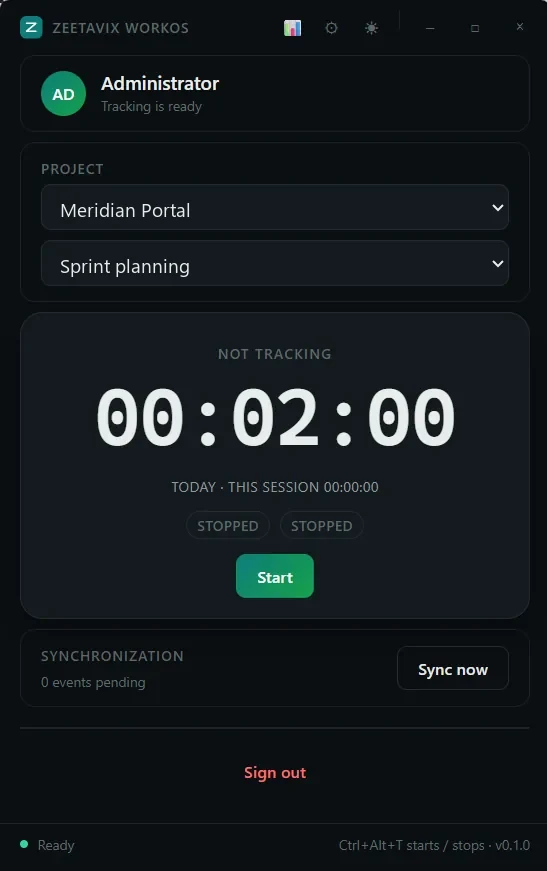
Everything else in this guide comes from one window being open on somebody’s machine. There is not much to it: a name, a project, a timer and a button.
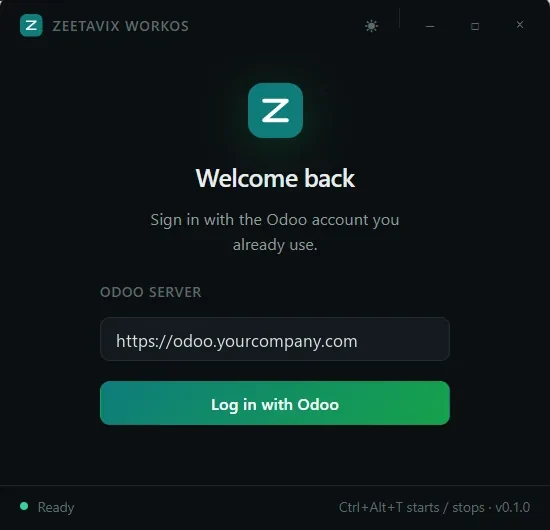
Signing in
One field, and it wants the address of your own Odoo. You will not need a Zeetavix account, a licence key, or a second password.
Press Log in with Odoo and your browser opens. You approve the machine with the account you already sign in with, and from then on the app is tied to your employee record.
The approval happens in Odoo, in that person’s own browser session. An administrator cannot quietly attach a machine to somebody. If you work in more than one company it asks which one, and you cannot move it afterwards.
What is in the window
- Your name, and whether tracking is ready. If the background agent is not reachable, the status line says so. It will not sit there quietly recording nothing.
- Project and task, pulled from Odoo. Whatever you pick here is what the timesheet line gets written against.
- The timer, with today’s total next to this session’s. No arithmetic.
- Sync, showing how many events are still queued, and a button to push them now if you are impatient.
Ctrl+Alt+T
After the first week almost nobody opens the window to start the timer. They use the shortcut. The status bar shows which one it is, or shows nothing at all if another application already owns that combination. We do not advertise a shortcut we did not get.
Losing the network costs you nothing
Events queue on the machine and sync when they can. “0 events pending” means everything has reached Odoo. A number there means the day is safe locally and on its way. Shutting the laptop, losing wifi on a train, restarting Odoo for an upgrade: none of it loses work.
It runs in a background agent. Close the window, or crash it, and the timer keeps going. The recovery screen says so, so nobody spends an afternoon wondering whether they lost the morning.
What it sends
Timer starts and stops. Activity samples. The name of the application in front and its window title. Screenshots, but only if an administrator has switched them on.
All of it goes to the Odoo address in that one field, and nowhere else. There is no Zeetavix server in this picture at all. Chapter nine covers what gets kept, and for how long.