One button for time and activity
Start tracks both together, the way people work — not two switches nobody remembers to flip. A global shortcut (Ctrl+Alt+T) starts and stops it without hunting for the window.
Features
Zeetavix WorkOS is Odoo employee time tracking that writes its own records: automatic Odoo timesheets, attendance automation, focus and activity reports, project budgets and evidence trails — all self-hosted on Odoo Community. No tiers gate any of this off — every plan gets every feature on this page, and the only thing price changes is how many people you are tracking. Where something is not built yet, it says so.
Before the list
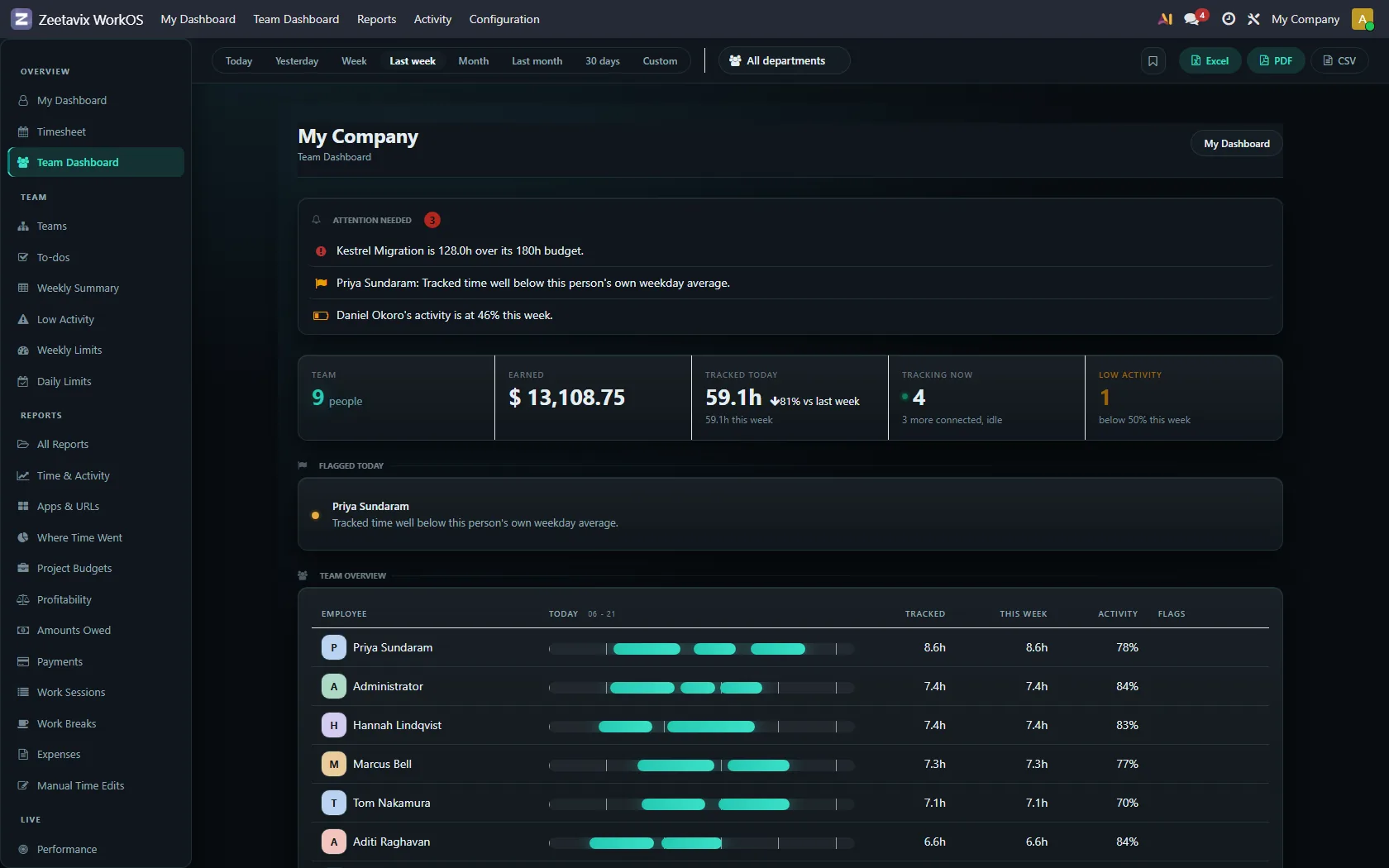
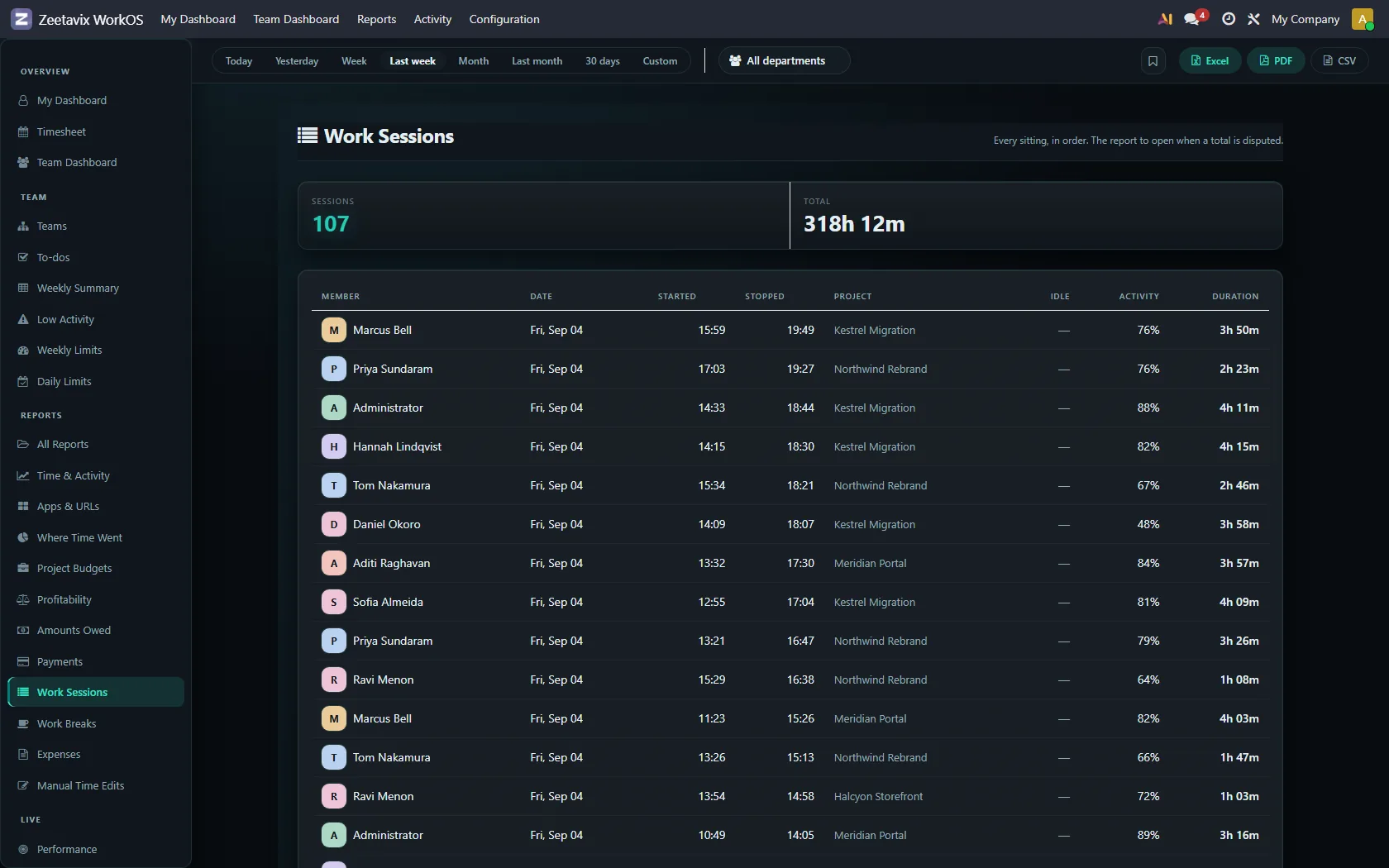
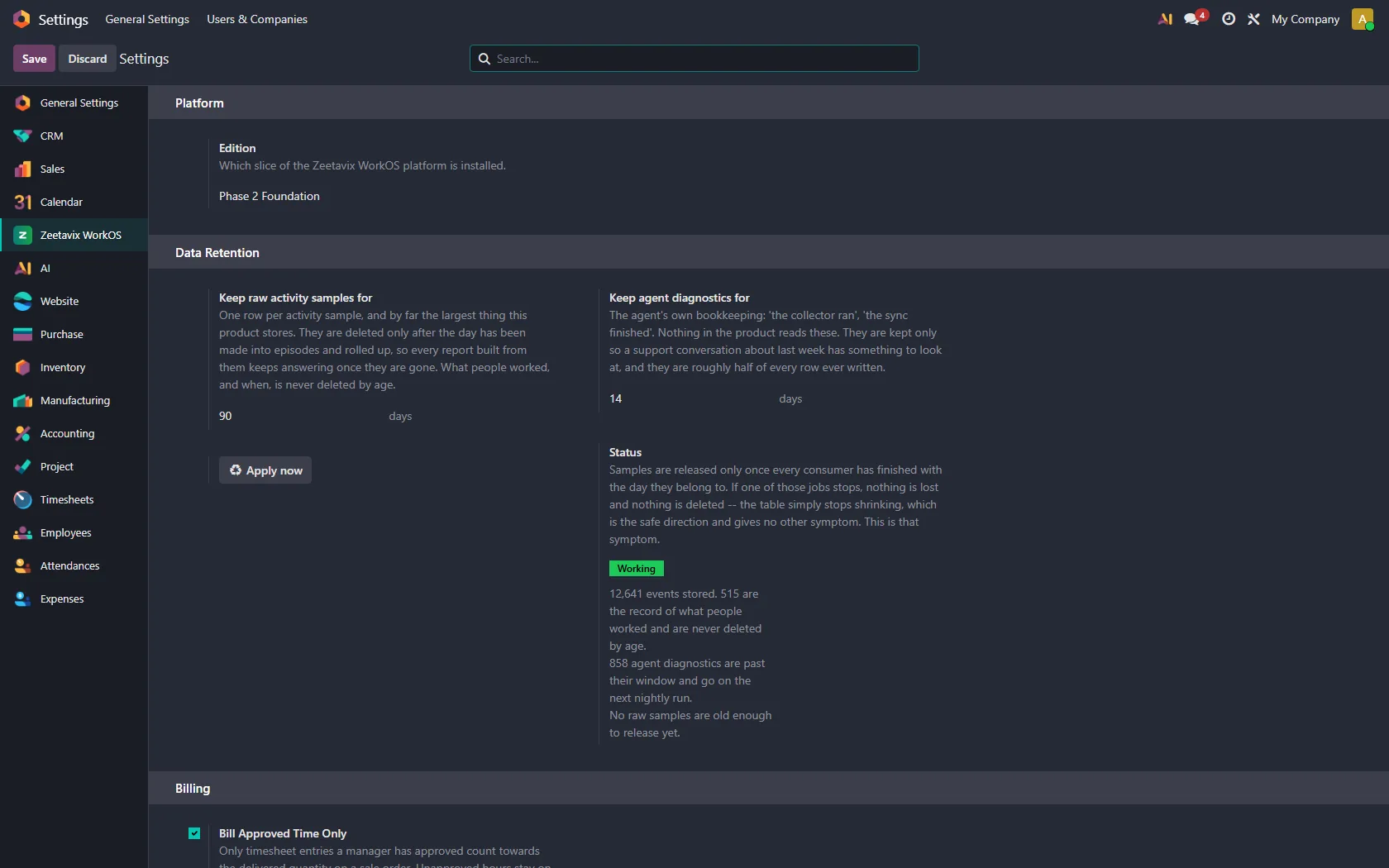
Three of the twenty-five screens, from a running install. The guide walks through all of them.
The part people actually feel: nobody reconstructs their week from memory, and nobody has to remember to press anything. How Odoo automatic timesheets work, end to end.
Start tracks both together, the way people work — not two switches nobody remembers to flip. A global shortcut (Ctrl+Alt+T) starts and stops it without hunting for the window.
The moment a timer stops, a real Odoo timesheet line appears on the right project and task. Not an export, not a separate tool — Odoo’s own timesheets, filled in.
Each line gets a description generated from the work behind it, on a background queue. Queued deliberately: nobody should wait on a model to finish before their timer stops.
Clock-in and clock-out derived from when real work started and stopped, feeding Odoo’s own attendance records. No forgotten punches, no Monday-morning corrections.
Hours are a poor description of knowledge work. Four uninterrupted ninety-minute blocks and eight hours cut into forty fragments are the same number on a timesheet and completely different days.
Thousands of window switches roll up into episodes — continuous stretches of one kind of work. It is the unit a person can read, and the only unit AI can reason about usefully.
Deep blocks, longest stretch, switch rate, meeting load — measured against a threshold learned from that role’s own history. A support day of forty switches is the job being done well; an engineering day of forty is a conversation worth having.
LinkedIn is the job in marketing and a distraction in engineering. Classification resolves per application, per role and per project, most specific first, and every answer carries the rule that produced it.
A two-hour call is not idleness, and prompt-wait-read-accept is dense senior work that produces almost no keystrokes. Both are detected and reported separately rather than scored as absence.
Not a keystroke score. Reading a spec is passive — which every other tracker collapses into “idle” and every manager then reads as “gone”. Mouse movement earns nothing, so a jiggler scores zero.
A productivity figure per person per day, days that look unlike that person’s own normal flagged for a look, and a plain-language summary of what happened.
One screen, instead of asking six people how their week went.
Everyone’s hours today and this week, activity, who is online right now, and a breakdown by department — a real Odoo backend app, not a webpage bolted on beside one.
Recognition built from real contribution rather than from who is loudest in standup. Quiet people who deliver stop being invisible.
Who is over their weekly hours and who is under, surfaced early enough to act on — including spotting the person quietly working themselves into the ground.
A few sentences on what changed: which projects are drifting, where the week went, what is worth a look. Generated by your own AI, on your own server.
Hours only matter once they are attached to something that costs money.
Tracked work is resolved onto Odoo’s own Projects and Tasks as it arrives, so nothing needs re-filing later.
Time and cost budgets per project, moving as hours land. A project going over is something you notice in week two rather than at invoicing.
Most months nobody opens any of this. The month a client disputes an invoice, it is the only thing that matters.
Your choice, per deployment. Full detail is readable evidence; blurred keeps the application and layout recognisable while no text survives. Nothing in between, because a blur weak enough to leave text readable protects nobody while looking as though it does.
Images are deleted on a schedule you choose — ninety days by default. The events themselves stay, so history and evidence trails stay intact. Only the pictures go.
Open a timesheet line or an attendance record and see the episodes, activity and screenshots behind it. That is the difference between “our tracker says so” and an actual answer.
Every other tracker sends your team’s work to a model you did not choose, through a company you do not control.
Run a model on your own hardware and nothing leaves the building at all. Not a promise about data handling — there is simply no outbound request.
OpenAI, Claude, Gemini or OpenRouter, called directly by your Odoo. We never see the key, the prompts or the answers, and we add no markup to the tokens.
All AI work runs on named background queues with their own retries and rate limits. A slow model makes a summary late; it never makes the product hang.
A tracker that stops when the wifi does is not a tracker. This is built to be the boring, reliable part — the piece that puts time tracking on your Odoo Community server.
Work is written locally and queued. When the network returns it drains on its own schedule with backoff. A day on a train loses nothing.
The local database — observations and screenshots — is encrypted with a key held in the operating system’s own credential store. If that store is unreachable the agent refuses to start rather than quietly writing plaintext.
No second password and no embedded credentials. The agent sends the person to your own Odoo to approve the device, and waits for exactly one callback.
Window, activity and idle collection are Windows-only in this release. Screenshots and system information already work everywhere. Said here rather than discovered after buying.
The whole product runs inside the Odoo you already host. That is not a policy — it is the architecture. More on self-hosted employee time tracking.
No Enterprise licence required. If you already run Enterprise, this sits alongside it with nothing to migrate.
Not your data, and not a licence check either — that hourly call went when the subscription did. Your installation makes no request to Zeetavix of any kind, because there is no endpoint left to call.
Tracking stops. Every timesheet, screenshot and report already in your Odoo stays exactly where it is. There is no export to request and no account to close.
$149 once, on the Odoo Apps Store. Unlimited users.
Get it on the Odoo Apps Store