Guide · Chapter 2
Your own day
The first screen anybody sees, and the only one that is about the person reading it rather than about their team.
A timesheet says the day was six hours. It cannot tell you whether that was one long morning or twelve scattered fragments, and those are not the same day. This screen shows the shape the total throws away.
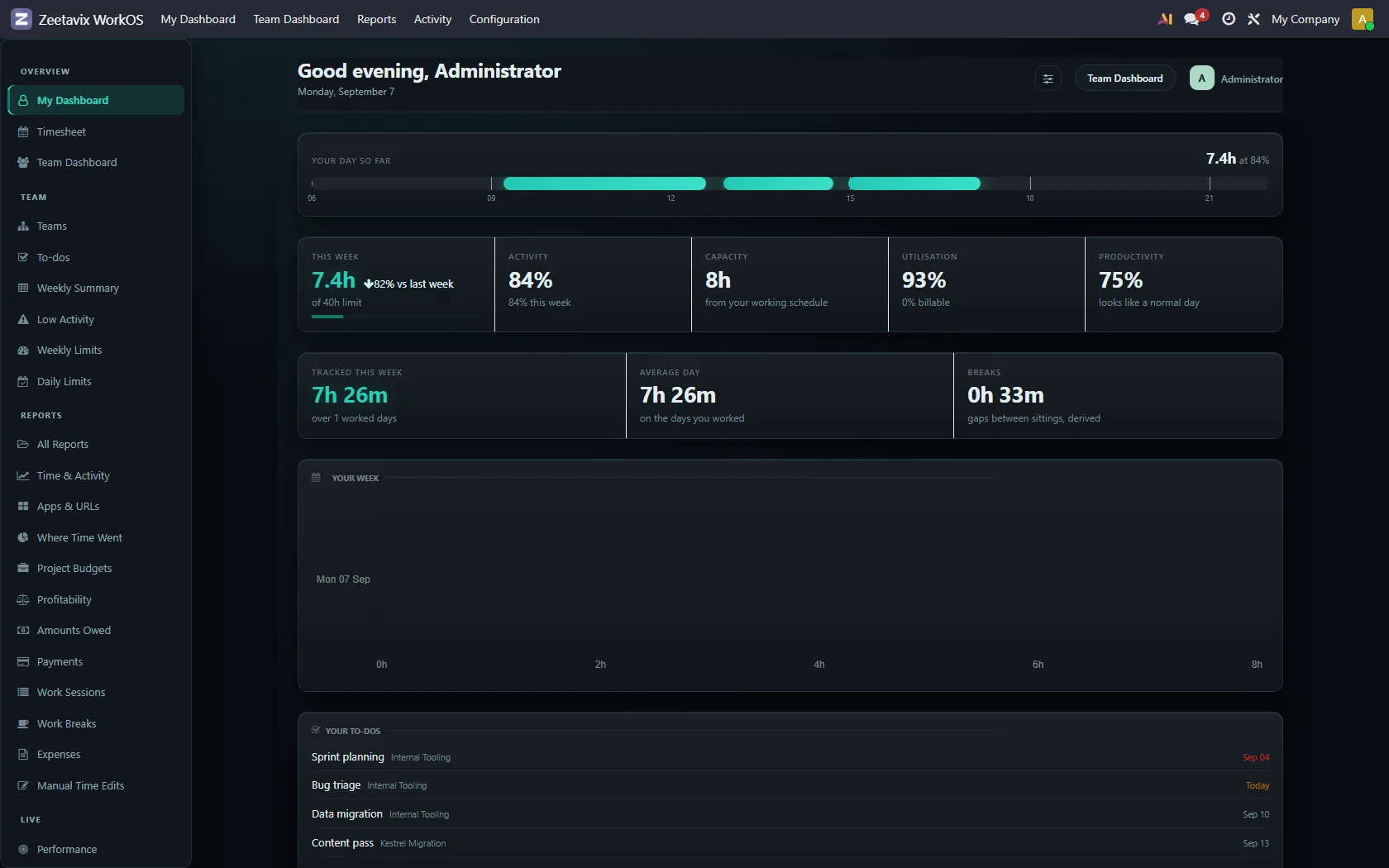
Your day so far
The band is the day, drawn against a clock. Each block is a sitting, meaning a stretch where the timer was running, and the gaps between them are the breaks. Hover a block and you get its start, its end, how long it ran and how active it was.
The axis normally runs 06:00 to 22:00, so you can compare two people’s days by eye. If somebody works outside that (a night shift, an evening deploy, a 3am session before a release) the axis widens to fit. It will not pretend the work did not happen.
The five figures
- This week — hours tracked since Monday, against your weekly limit if you have one, with last week beside it for comparison.
- Activity — how much input the machine saw while the timer ran, as a percentage. It measures engagement with the keyboard and mouse, not value. An hour of thinking at a whiteboard scores badly, and may still have been the most useful hour of the week.
- Capacity — the hours your working schedule says you have. It comes from Odoo’s own contract, not from us.
- Utilisation — how much of what you tracked landed on billable work.
- Productivity — the day’s score, and a flag if it is unusual for you. The comparison is always against your own rolling average, never against a colleague’s.
It fires when a day sits well below your own weekday average. That happens when somebody spent the day in workshops, or when their laptop was being replaced. It is a prompt to ask, not a mark against anyone.
Your week, your to-dos, your sessions
Below the figures: the week as a bar per day, the tasks assigned to you in Odoo ordered by deadline with the undated last, and the last ten sittings with their project and length. A to-do with no date is not urgent, it is unscheduled. Putting it above something due tomorrow would be the widget deciding for you.
What was captured of your screen
If screenshots are switched on, your own are at the bottom of this page. You can look at them, and delete them, inside the window your administrator set. That matters: if you cannot see what was captured of your own machine, the delete button is meaningless.