Guide · Chapter 5
Money
What the work earned, what it cost, what is owed — and the rule that decides who gets to see any of it.
Tracked hours turn into money the moment they meet a rate. That makes these the most sensitive screens in the product, so they are gated separately from everything else.
Two permissions, not one
Money visibility comes in tiers, because “can see money” is really two different questions:
- Cost — what the work cost you: pay rates, labour cost, amounts owed to people.
- Revenue — what the work earned: bill rates, revenue, margin.
A delivery lead usually needs the first and must not have the second. Somebody can hold either, both, or neither. The setting is per person.
It sits in the method that both the screen and the export call. Put it in a template and it would only have covered one of the ways money leaves the product. A permission that holds on the page but not in the CSV is not a permission.
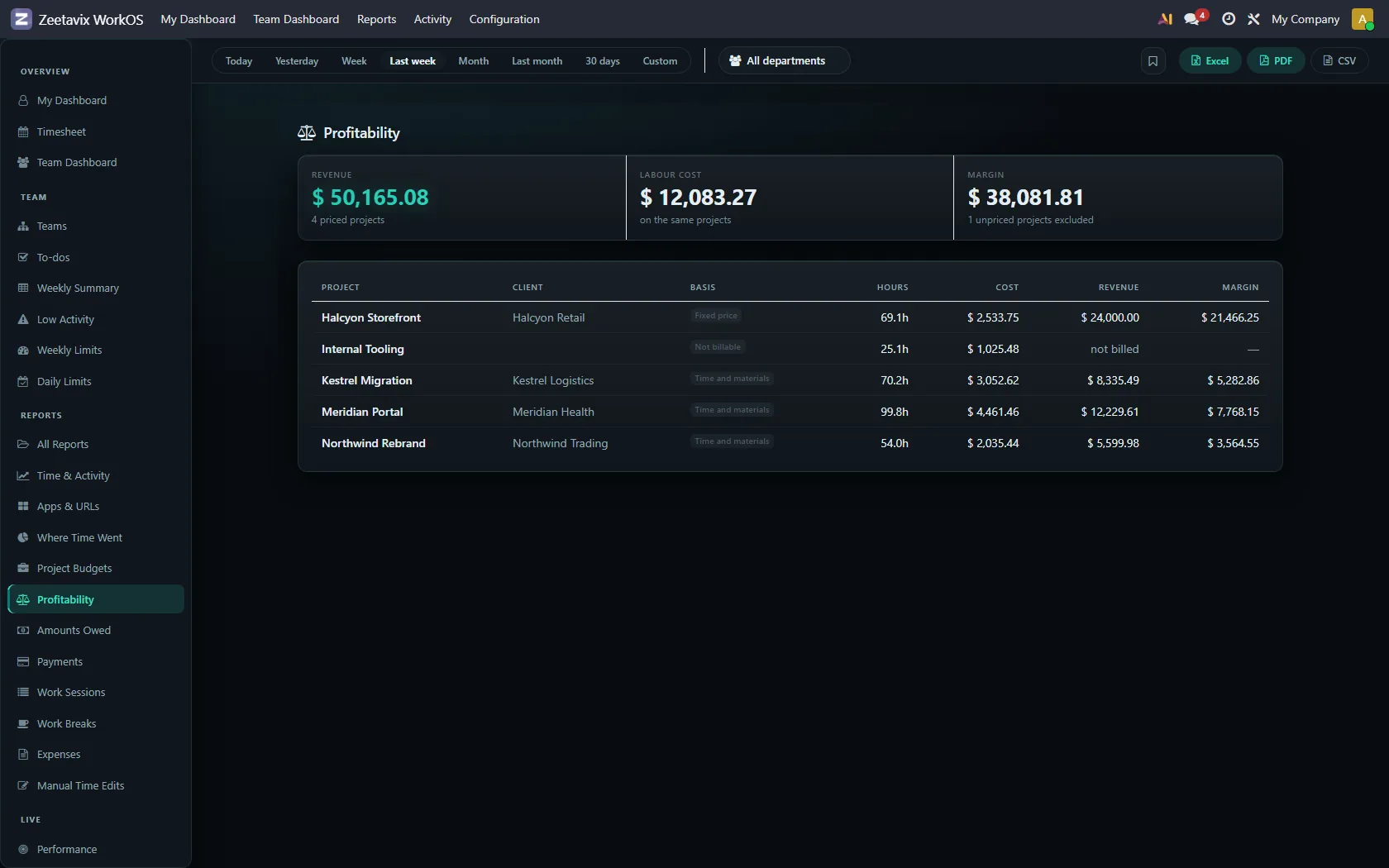
Profitability
Per project, never per person. A margin belongs to work that was priced and delivered. Hang one on an individual and you invite judging them by a number they do not control.
Each project carries its basis — time and materials, fixed price, or nothing at all. Internal work that earns nothing is counted as earning nothing, and the total says how much was excluded rather than quietly leaving it out.
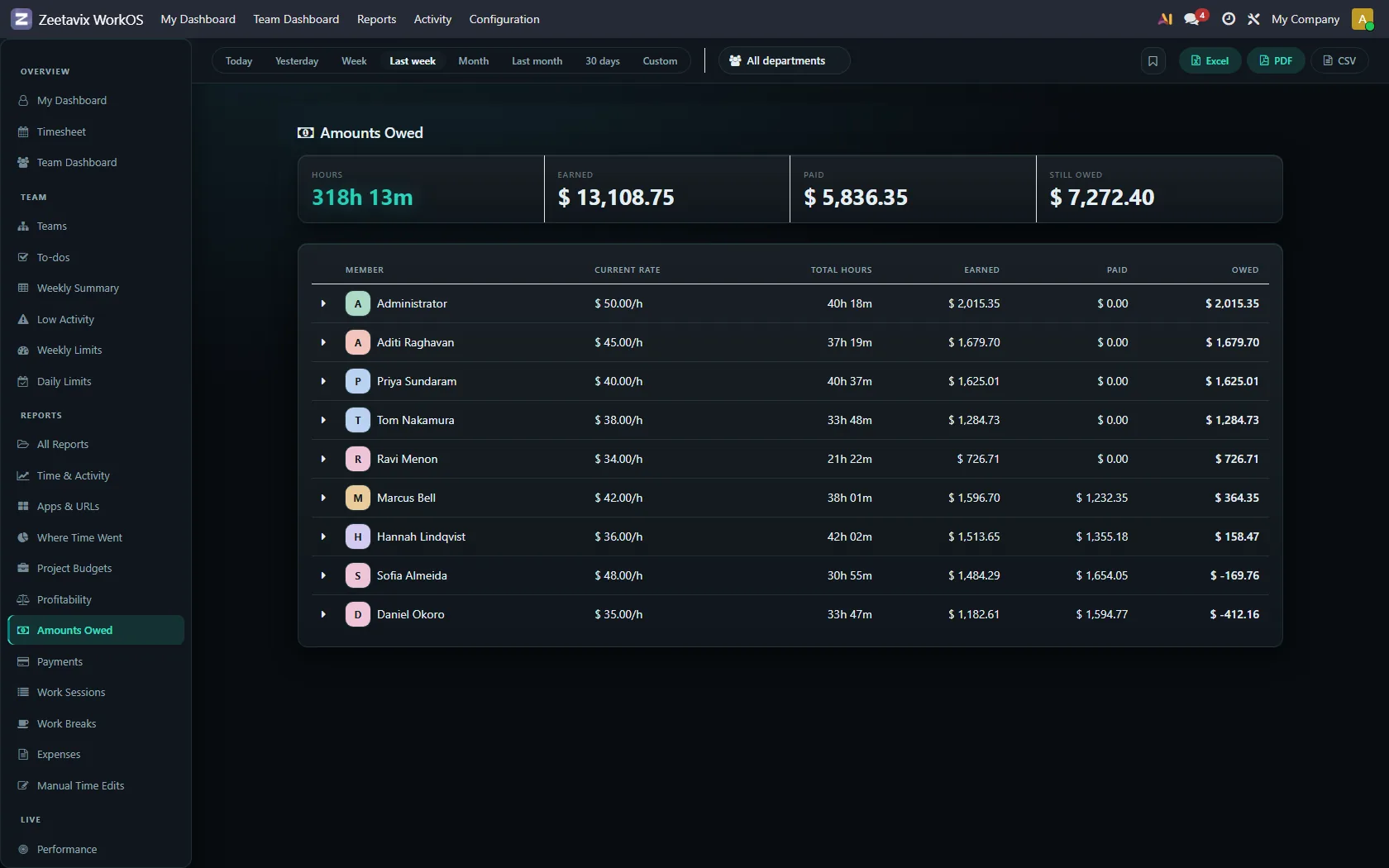
Amounts Owed and Payments
What has been earned and not yet paid, per person, priced per day per project so a mid-period rate change is not smoothed away. Payments records what has gone out. Both are cost-tier screens.
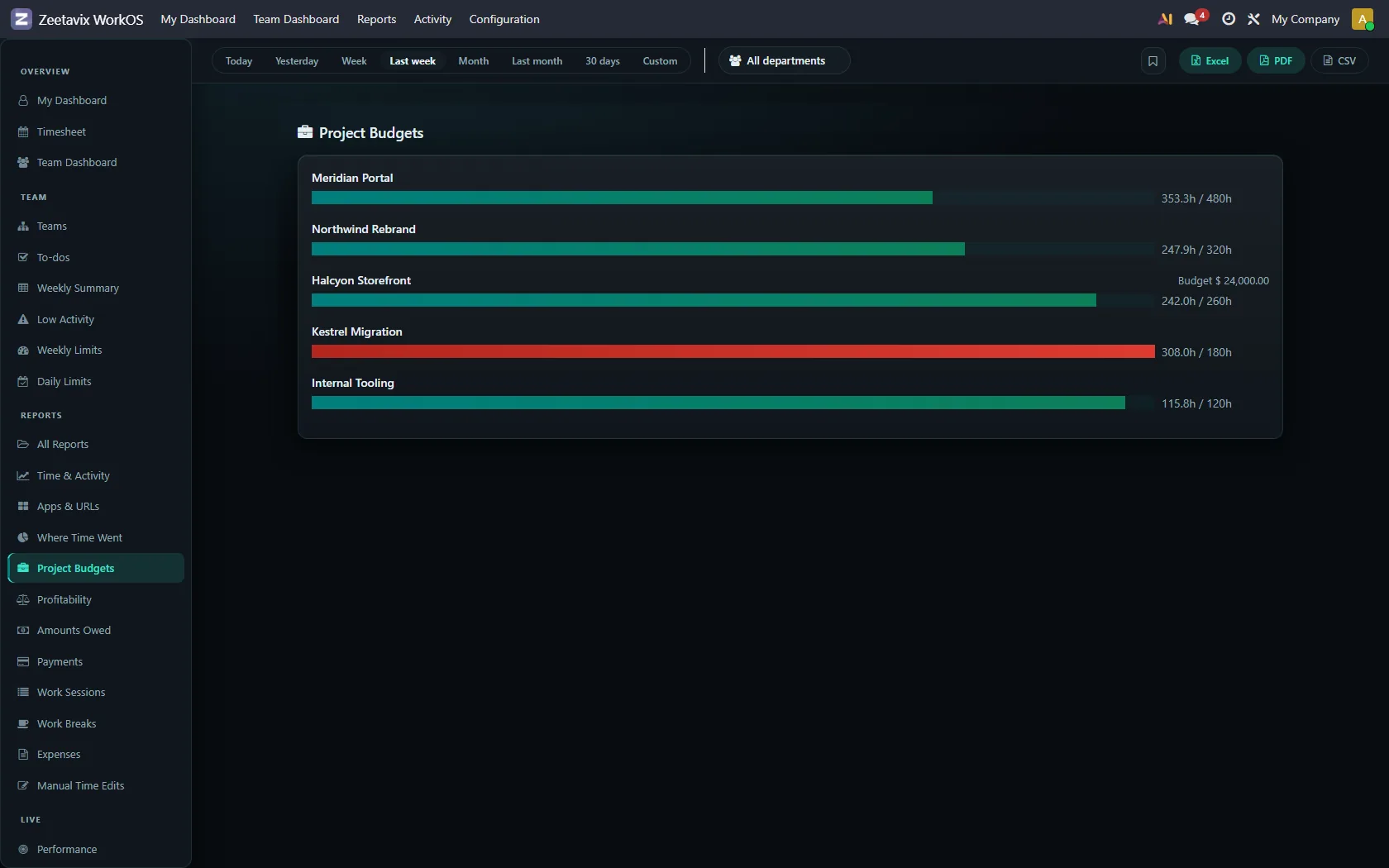
Project Budgets
Hours against budget, per project, with what is left. This is what feeds the over-budget lines in the manager’s briefing — and only projects that actually have a budget appear there, because a project nobody budgeted cannot be over one.
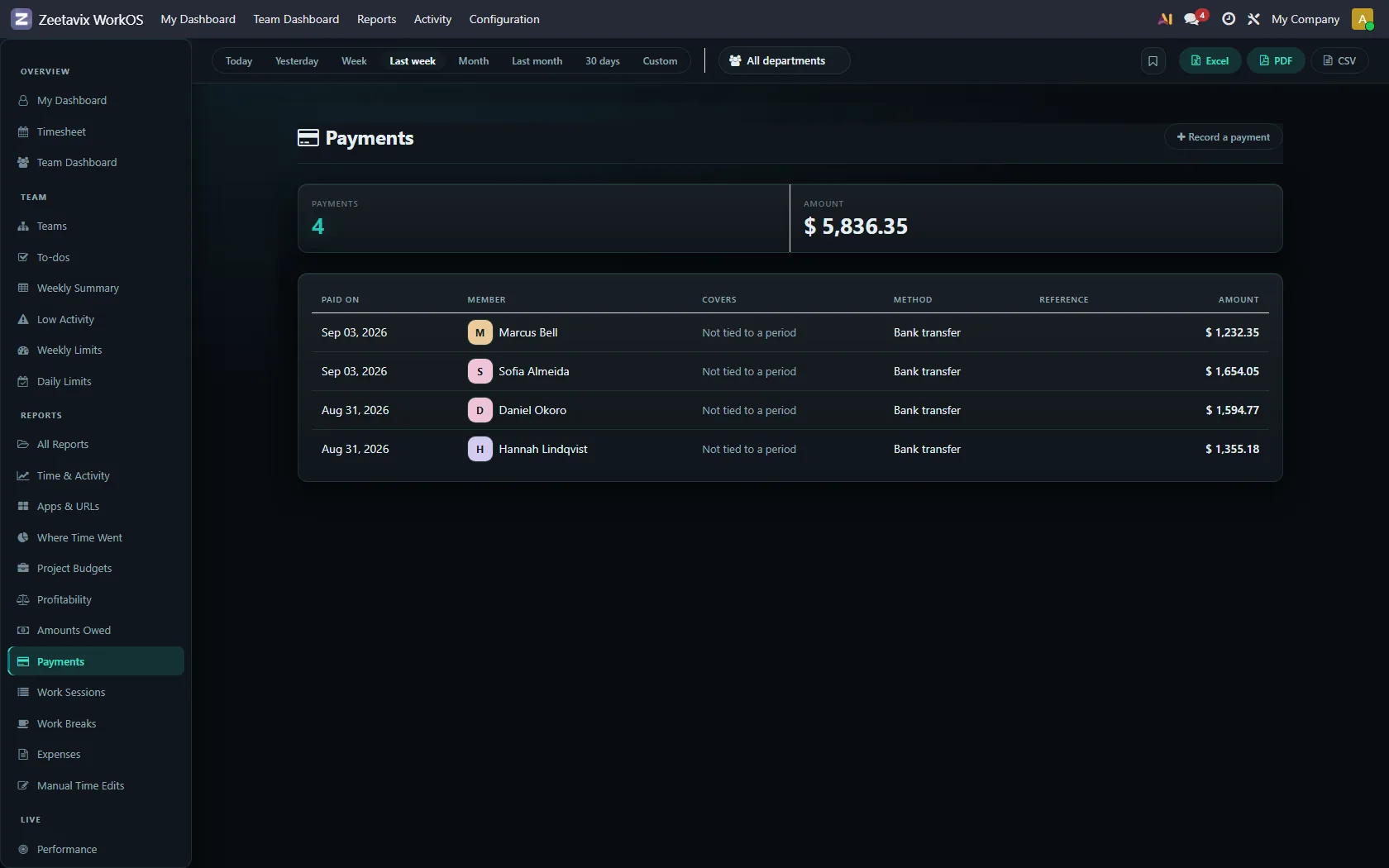
Payments
What has actually gone out, per person and per date. Amounts Owed is what is earned and unpaid; this is the other half of that subtraction, and keeping them on separate screens is deliberate — one is a calculation, the other is a record of something that happened.
Expenses
Odoo’s own expenses, gathered next to the time they belong beside. Nothing is re-implemented here: it is the same records your accounting already uses.
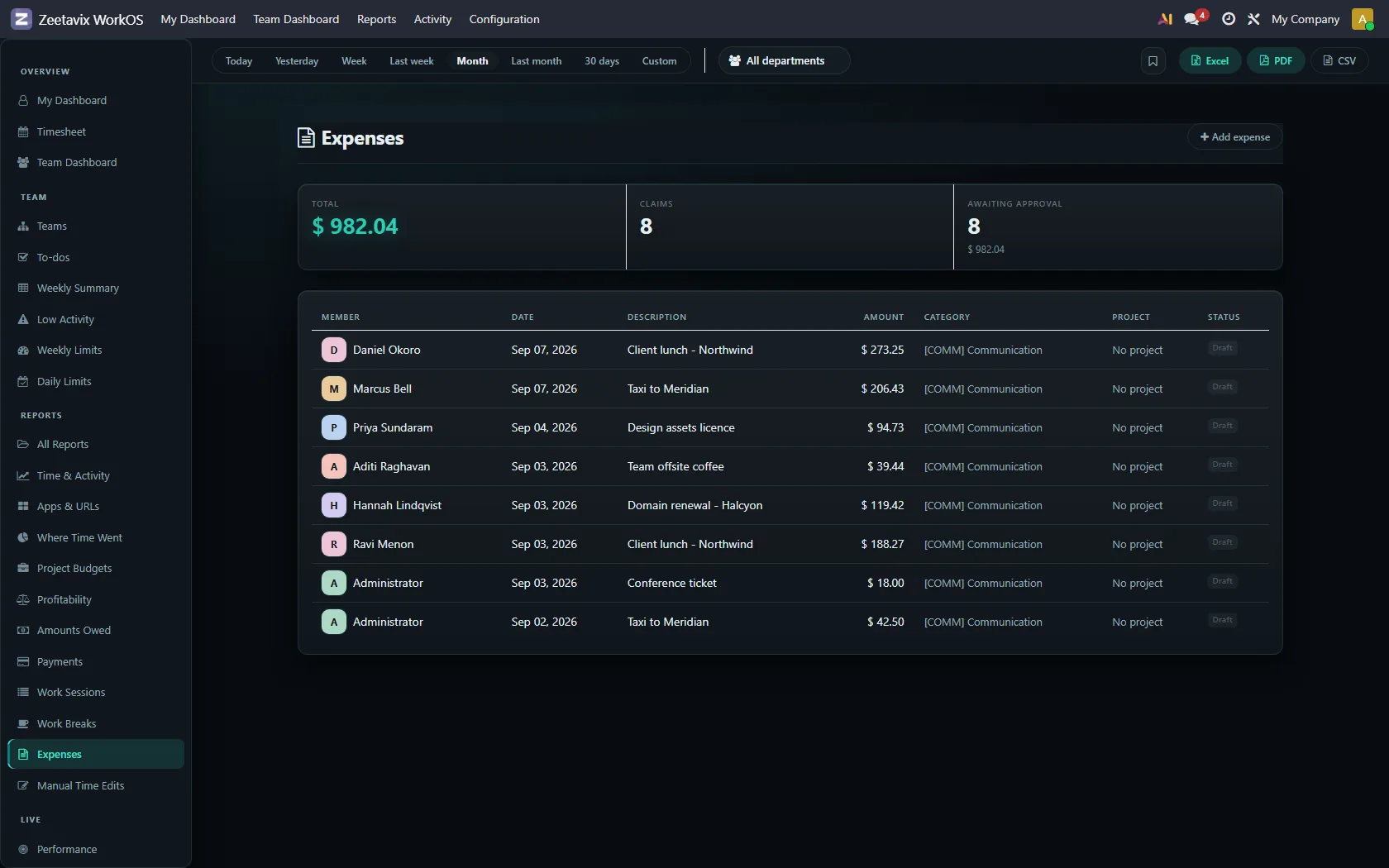
Money is never aggregated across companies. If you run more than one, each set of books is its own, and the screen names the company it is about so nobody has to guess which one they are reading.